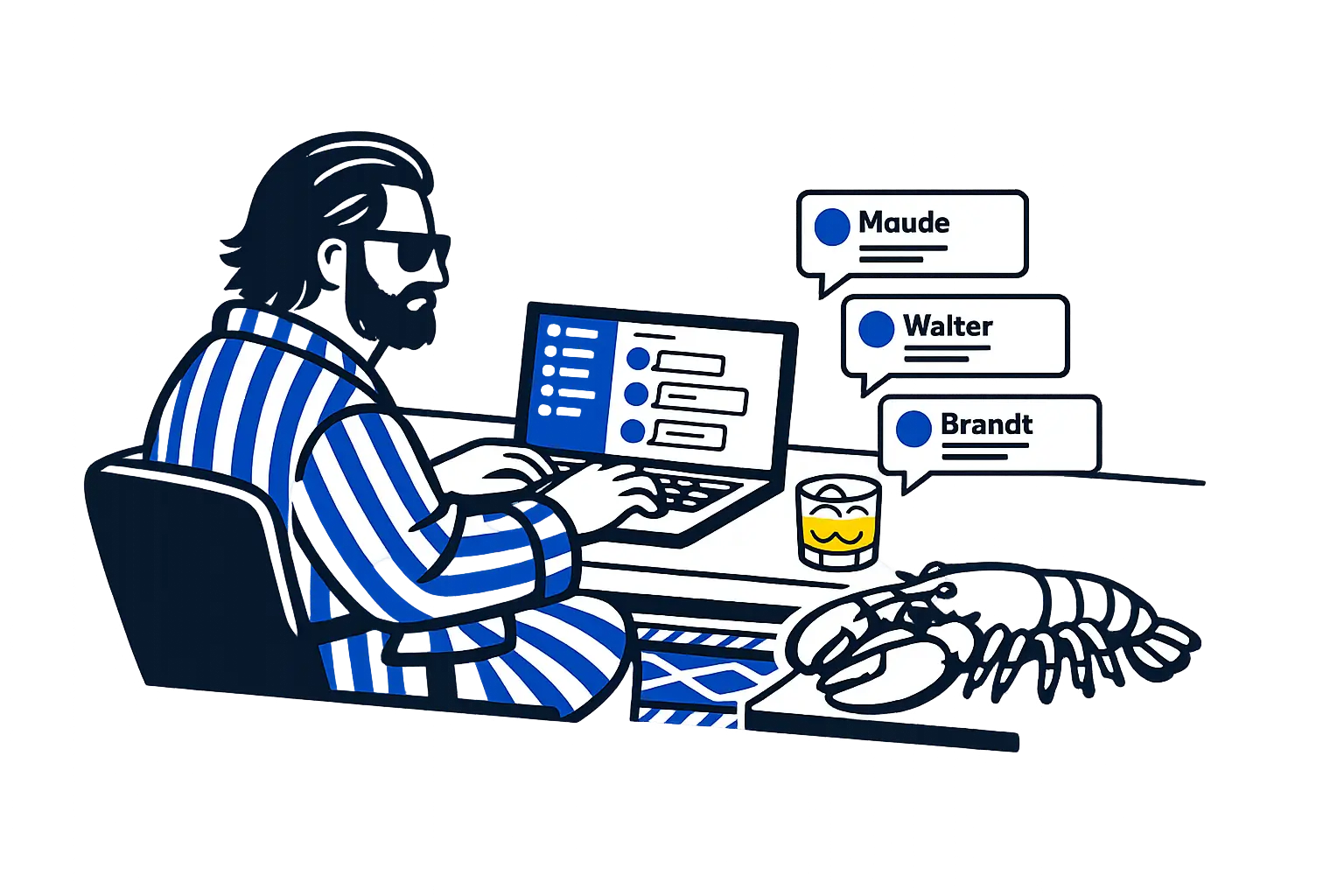
When Claire Vo shared that OpenClaw changed her life on Lenny's Podcast, I took note. The episode is great. The takeaways are perfect. Claire is calm, organized, and genuinely transformed. Lenny asks exactly the right questions. The audience learns exactly what they need to learn. Their Silicon Valley credentials are impeccable. As with much they do - it is, frankly, a masterclass.
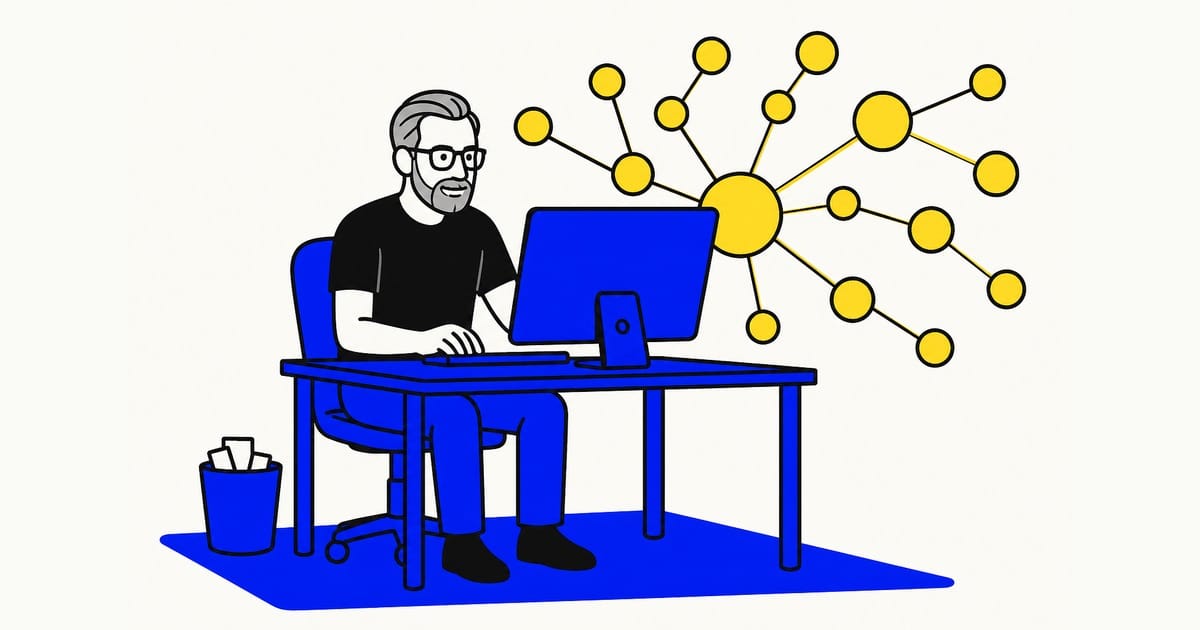
I'm not like Claire or Lenny. I'm just a fractional CxO living just outside Boston. I have a grey beard, an old MacBook Pro from 2018 under my desk, and approximately none of their panache.
Well, I spent some time bumbling through config files, watching the OpenClaw lobster mascot mock me in the terminal, and occasionally feeling drugged and thrown in a metaphorical ditch by AI that was extremely confident about the wrong thing - all to prove that regular dudes can do great things.
Some things work now. Here is the honest account of how I got there. Needless to say, the story is ludicrous.
Why I Did This
I bill for my ability to think clearly, synthesize complex inputs, and make sound judgment - quickly. Every hour I spend on scheduling, content, invoice chasing, email triage, and the general administrative fog of running a solopreneur practice is a wasted hour for me. My enemies were numerous and administrative. Like nihilists, they do not believe in anything - except consuming The Dude's time.
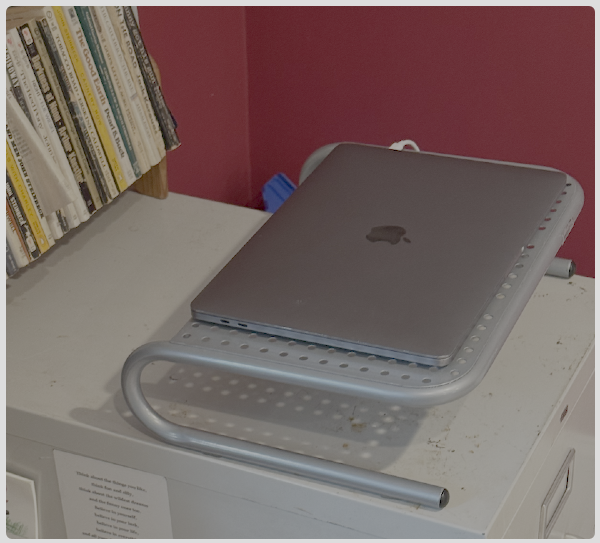
The Dude read the Claire piece, and others. These people were running sophisticated AI infrastructure on old hardware in their homes. I looked under my desk: 2018 MacBook Pro. Untouched for a year. Zero marginal cost.
Step 1: Do Not Install OpenClaw on Your Main Computer
This has been said. Claire's agents deleted her family calendar the first time she ran them.
The Dude is saying it again because to save future you a ton of headache.
I took it even further. Before installing anything, I wiped the 2018 MBP completely and did a clean OS reinstall. Fresh slate. I then made a deliberate decision about what would never live on this machine: no personal Gmail, not my personal password manager, no access to my personal life. The agent machine is the agent machine. It does not know where I bank. It does not have my family photos. It is an appliance, not a computer I trust with everything.
This may sound paranoid. The Dude has seen some things. The Dude has learned.
Step 2: Install OpenClaw
Go to openclaw.ai. Click download. Run the installer. This takes 2 minutes. It is point-and-click. You do not need to understand what you are installing. You just need to install it.
Then run your first command and meet the lobster:
🦞 OpenClaw 2026.2.15 (3fe22ea)
Gateway online - please keep hands, feet, and appendages inside the shell at all times.
Those little jokes are shown a lot. They were funny at first. Then they became mocking. Then they became a personal affront. The lobster had an opinion about tabs versus spaces. The lobster claimed to keep secrets. The lobster had a lot to say for a crustacean.
The Dude did not abide.
Add this to your ~/.zshrc and never hear from the lobster again:
export OPENCLAW_HIDE_BANNER=1
Run source ~/.zshrc. Silence.

Step 3: Set Up Remote Access
"Install Tailscale" sounds like something a DevOps engineer says right before a two-hour CIDR block conversation. It is actually: go to tailscale.com, download the app, open it, sign in. Done. You now have a private network between your two computers.
Then go to System Settings on the agent machine. Find Sharing. Turn on Remote Login. Then from your main computer, open Terminal and type:
ssh thedude@[the-IP-address-Tailscale-shows-you]
You are now inside the other computer. From across the house. Or across the country. This feels like a superpower. It is one line of text.

Now, MacBooks love to sleep. More than Mac Minis do. A Mac Mini is a professional. A MacBook is a golden retriever that will fall asleep in a warm spot the moment you stop paying attention to it. A Mac Mini would be the better long-term choice for running agents. I am still not paying $600 for a Mac Mini when I have a free laptop under my desk.
To keep the MacBook awake while you work, open a dedicated Terminal tab and paste this:
caffeinate -dims
Leave that tab open. The machine stays awake as long as that command is running. Close the tab and the golden retriever goes back to sleep.
Also install the Remote SSH extension in VS Code on your main laptop. Then you can open files on the agent machine in a real editor instead of nano or vim, which are text editors designed by people who actively dislike quitting.
Step 4: Bring The Stranger Along for the Ride
Here is the tip that doesn't get written down enough: I had claude.ai open in a separate window the entire time. Think of it as The Stranger - the helpful narrator sitting at the bar, explaining what's happening, answering your questions, and then quietly disappearing. Not really part of the movie. But you'd be lost without him.
Every terminal command in this post - I didn't know those. I described what I was trying to do, Claude gave me exactly what to type, and I copied and pasted it. When something broke, I pasted the error message into the chat and asked what happened. When I didn't understand an output, I took a screenshot and asked what it meant.
This is not cheating. This is the point. The Dude had The Stranger. I have Claude.

One practical note on managing that session: use it for things that require context - your specific config, your specific error, your specific situation. For general questions like "what is Tailscale" or "what does SSH stand for," just Google it. Better yet, use Gemini inside Google Search - AI mode handles quick definitional questions fast and free, and you don't burn context window on things that don't need your setup's history. Save Claude.ai for the stuff that only makes sense in context.
Step 5: Go Slowly
AI is extremely confident. It will give you a complete, authoritative, well-structured answer for implementing something that is subtly wrong. Then it will cheerfully help you build three more things on top of that wrong foundation. Then when everything collapses it will help you troubleshoot each piece individually without ever flagging that the original decision was the problem.
There is a scene in The Big Lebowski where The Dude gets his drink spiked, gets thrown out of a car, and wakes up on a road with no clear understanding of how he got there or what went wrong first. That is what it feels like to unwind a bad OpenClaw implementation decision three steps later. You are not sure what is wrong. You are not sure when it went wrong. You are slightly nauseous and the safety of the bowling alley feels very far away.
My gateway stopped starting because I let Claude walk me through a config change that introduced a deprecated field. I then made two more changes on top of it. By the time I hit the timeout error, I had three possible causes and no clean backup. openclaw doctor --fix saved me that time. It will not always save you.
Here is the problem: The Stranger is also making things up sometimes. Claude, Gemini, every AI model - they all speak about API calls with complete confidence and are frequently wrong. They know the general shape of an API from training data, but APIs change. Rate limits change. Authentication flows change. The specific field name that worked six months ago now returns an error.
The solution is not for The Dude to read the docs. The solution is to paste the docs into the conversation before asking The Stranger to write any integration code. Drop the link, tell Claude to read it first, then ask for the implementation. The cast handles it from there.
Some links worth keeping handy:
- Slack API: https://api.slack.com/docs
- Google Calendar API: https://developers.google.com/calendar/api/v3/reference
- OpenClaw docs: https://docs.openclaw.ai
Brandt, Walter, Larry, Maude - they all read the docs. The Dude pastes the link and asks The Stranger to handle it. That is the correct division of labor.

The agent config, the Slack token routing, the binding array, the model assignments, the environment variables - each piece is simple on its own and consequential when wrong. The only protection is pace.
One change at a time. Test after each one. Back up before anything significant:
cp ~/.openclaw/openclaw.json ~/.openclaw/openclaw.json.bak
That one habit would have saved me ninety minutes across multiple sessions. I developed it on the third crash. Learn from The Dude.
Step 6: Create a Slack App for Each Agent
Every agent needed its own Slack app. This is what gives each one a distinct name, profile photo, and presence in your workspace. It is slightly bureaucratic. It is worth it.
If you're going with Slack, start by creating your app at the Slack API developer portal. The URL is api.slack.com/apps - note that this is the developer portal, not your Slack workspace. Easy to confuse: app.slack.com just opens your regular Slack window and is not what you want. You want api.slack.com/apps. Bookmark it.
From there, click "Create New App" and choose "From an app manifest." OpenClaw publishes an app manifest that pre-configures everything - scopes, Socket Mode, event subscriptions - automatically. In the Slack app creation flow at api.slack.com/apps, choose "From an app manifest" instead of "From scratch," paste the manifest from https://docs.openclaw.ai/channels/slack in, and Slack wires it up in one shot.
That's it. Do this for each agent. The only manual step remaining is in the left sidebar: click "Basic Information" and upload a profile photo for each bot. That part the manifest can't do for you.
When you're done:
- Click "Generate an app-level token" - name it something specific to this agent, give it
connections:writescope - Copy that App Token (starts with
xapp-) - Go to the OAuth menu on the left sidebar. Install the app into your workspace
- Save your Bot Token (starts with
xoxb-) along with your App Token. You'll need both.
Repeat this for every agent. Two tokens per agent. Keep them organized. Do not mix up which tokens belong to which bot.
Step 7: A Regret About Agent Order
I set up Maude first. Maude is marketing - social posts, content. She went in as the main agent because she was first. In OpenClaw, the first agent you create gets registered as main in the config regardless of what you name it.
In retrospect: put your chief-of-staff equivalent on main. The chief of staff touches everything - calendar, email, tasks, scheduling. Having them as the foundational agent with specialists organized underneath makes architectural sense. Maude has a narrow lane. Brandt is the connective tissue.
If you are starting fresh: add the chief of staff first. If you are already running with the wrong agent on main, it can be reassigned in the config - but that is a session with Claude.ai and a backup, not a quick edit.
Step 8: Add Each Agent to OpenClaw
For each agent, run on the agent machine:
openclaw agents add
Give it a name. Give it one job. Not "help me with everything" - one specific, bounded job.
Then add the tokens to ~/.openclaw/openclaw.json. Under channels.slack.accounts:
"accounts": {
  "agent_one_app": {
    "botToken": "xoxb-YOUR-BOT-TOKEN",
    "appToken": "xapp-YOUR-APP-TOKEN"
  },
  "agent_two_app": {
    "botToken": "xoxb-YOUR-BOT-TOKEN",
    "appToken": "xapp-YOUR-APP-TOKEN"
  }
}
Then add entries to the top-level bindings array:
"bindings": [
  { "type": "route", "agentId": "main", "match": { "channel": "slack", "accountId": "agent_one_app" } },
  { "type": "route", "agentId": "agent_two", "match": { "channel": "slack", "accountId": "agent_two_app" } }
]
Run openclaw agents list before writing bindings so you know the actual system IDs. Your first agent is probably main, not whatever name you gave it. After every config change: openclaw gateway restart, then openclaw health to confirm everything is running.
Step 9: The Pairing Loop
You will message your agent in Slack. It will not respond in a way that seems it is broken.
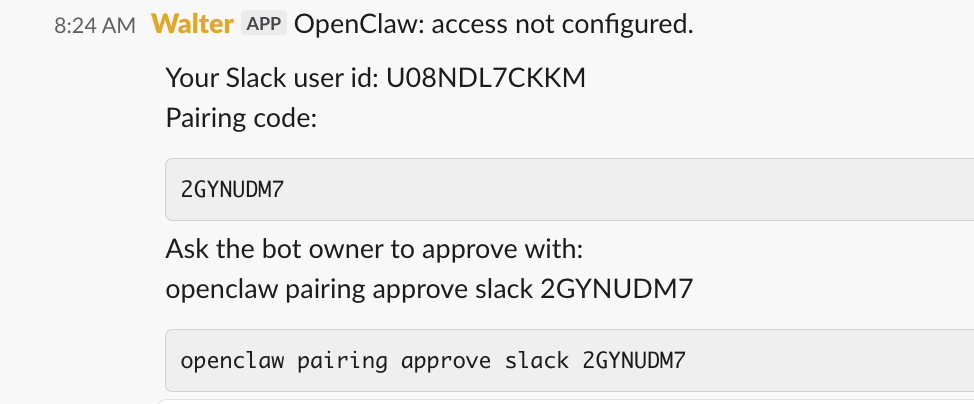
Don't worry. The gateway is running. The logs show a pairing loop. Anthropic's API is not down.
In Terminal, run:
openclaw pairing approve slack [YOUR-CODE]
Restart gateway. It works. The Dude's rug always came back.
Step 10: Keep Your Credentials Out of the Chat
OpenClaw will ask for your credentials repeatedly. API keys for Google, Todoist, folk.app, Salesforge, Ghost. It will ask in conversation, it will prompt in the config, it will suggest you paste them in Slack to share with agents. Before long you have the same key stored in three places, two of them plaintext.
A better approach: put all credentials in the env block of your openclaw.json config, once, and never paste them anywhere else.
"env": {
  "SERVICE_A_API_KEY": "your-key-here",
  "SERVICE_B_API_KEY": "your-key-here",
  "SERVICE_C_CLIENT_ID": "your-id-here",
  "SERVICE_C_CLIENT_SECRET": "your-secret-here",
  "SERVICE_C_REFRESH_TOKEN": "your-token-here"
}
Then add this to every agent's SOUL.md:
## Credentials
Never accept or store API keys or tokens in conversation or files.
All credentials are available as environment variables.
Reference them at runtime via process.env.VARIABLE_NAME.
If you need a credential, check the env block first.
Do not ask The Dude to paste it in chat.
Step 11: Write the key Markdown Files
Here is the mistake The Dude made: giving every agent just a SOUL.md and calling it done. An agent with only a SOUL.md knows its job but not who it's working for, what it learned yesterday, or how to present itself. That is a lot of strands missing from old Duder's head.
OpenClaw reads four files per agent. Each has a distinct job. Set up these important business papers, in this order.
IDENTITY.md - Start here
This is the agent's persona - name, role, emoji, tone, how it shows up in Slack. Write it first because everything else builds on it. Keep it short. One page. It answers: who am I and how do I communicate?
# Brandt - Chief of Staff

emoji: 📋
name: Brandt
role: Chief of Staff

Brandt is efficient, thorough, and slightly anxious in a productive way.
He anticipates problems before they happen. He does not overpromise.
He sends progress updates during long tasks rather than going silent.
USER.md - Do this once, copy to every agent
This is the agent's understanding of you - who The Dude is, how the business works, who the clients are, how he prefers to communicate, which tools he uses. Without USER.md, every agent starts cold. With it, Walter knows to draft outreach in Matthew's voice, Brandt knows which Cal.com link to use for which contact, and Maude knows what tone fits the brand.
Write it once. Copy the same file to every agent's workspace. Update it when things change - new client, new tool, role shift.
# The Dude

## Role
Fractional CPO/CGO advisor and executive coach.

## How The Dude Works
Direct. No filler. Calendar at cal.com/mmamet/connect.
Email voice: first person, concise.

## Tools
Cal.com, Buffer, Slack
SOUL.md - The job description and guardrails
This is the core operating document. Role scope, workflow, what the agent can do autonomously versus what requires approval, and the two rules that must appear in every single SOUL.md without exception:
"Never take autonomous action without posting a draft and waiting for approval."
"Send progress updates during long tasks rather than going silent."
SOUL.md is longer than IDENTITY.md. It covers the full workflow, the approval gates, the tools the agent has access to, and how it handles edge cases. Think of it as the employee handbook for that specific role.
MEMORY.md - Build this over time
This is the agent's working memory across sessions - things it has learned, decisions that were made, context it needs to carry forward. Walter notes that a particular prospect went cold. Brandt logs that AMC invoices go out on the 15th. Larry records that the Ghost theme was last updated in March.
Without MEMORY.md, every session starts from scratch. With it, agents accumulate institutional knowledge. Start it on day one even if it's mostly empty - the habit of maintaining it matters more than what's in it at the start.
# Brandt Memory

## Invoice Cycle
15th and last business day of month.

## Cal.com
mmamet/connect

## Last Updated
2026-04-08Step 12: The Heartbeat. How Agents Actually Do Things Without Being Asked
Here is the thing nobody explains until you've set up an agent, given it a job, and then watched it sit completely still waiting for you to tell it what to do.
An agent without a heartbeat is just a very expensive Slack bot. It responds when you message it. It does nothing when you don't. That is not an autonomous agent. That is a chatbot with a SOUL.md.
The heartbeat is what makes an agent actually work. It is a scheduled trigger - a cron job, a Zapier scenario, a webhook - something that wakes the agent on a regular interval and tells it to do its job whether or not The Dude is paying attention. Larry doesn't wait to be asked if the site is down. He checks every 30 minutes. Walter doesn't wait for a lead to appear in Slack. He runs his pipeline review every morning. Maude doesn't wait to be prompted for content ideas. She surfaces them on schedule.
In OpenClaw, configure the heartbeat in the agent's SOUL.md and wire the trigger externally. A simple Zapier call on a schedule, posting to the agent's webhook, is all it takes. The SOUL.md tells the agent what to do when the heartbeat fires:
## Heartbeat
When triggered by heartbeat:
1. Check the monitoring queue
2. Surface anything flagged since last check
3. Post a brief status update to #the-big-lebowski
4. If nothing to report, stay silent
"Stay silent if nothing to report" is the most important line. An agent that posts "all clear" every 30 minutes is noise. An agent that only speaks when something needs attention is signal.
Without a heartbeat, your agents will sit there, fully configured, deeply identified, waiting. The Dude will have to poke each one individually to get anything done. That is not the dream. Wire up the heartbeats.
Getting Agents to Work Together
The next thing nobody explains: agents don't automatically know about each other. Maude cannot tap Walter on the shoulder. Walter cannot hand a task to Brandt. Left to their own devices, each agent operates in its own lane and The Dude becomes the coordinator - which defeats the entire point.
There are two ways to fix this.
The first is through the SOUL.md. Tell each agent explicitly who its colleagues are, what they do, and when to route to them. Walter's SOUL.md should include:
## Colleagues
- Maude handles all content and social - do not overlap
- Brandt handles scheduling and follow-up - when a prospect
  agrees to a call, brief Brandt in #the-big-lebowski with
  the contact name and context
- Larry handles anything technical - route site issues to him
This doesn't create a live connection. It creates a protocol. Walter knows to post a handoff note in the shared channel. Brandt knows to watch for handoff notes from Walter. The Dude is still the channel - but the agents are doing the routing.
The second is OpenClaw's ACP - Agent Control Protocol. It allows agents to send tasks to each other programmatically without going through Slack as the intermediary. Check:
openclaw acp --helpIf your version supports it, ACP is the cleaner path. One agent can trigger another directly with a structured payload. Walter finishes a research brief and fires a task to Brandt to schedule the outreach call. No Dude required.
For now, a shared Slack channel approach works well enough. All agents in #the-big-lebowski. Handoff notes follow a consistent format. The Dude monitors but doesn't coordinate. That is close enough to the dream for version one.
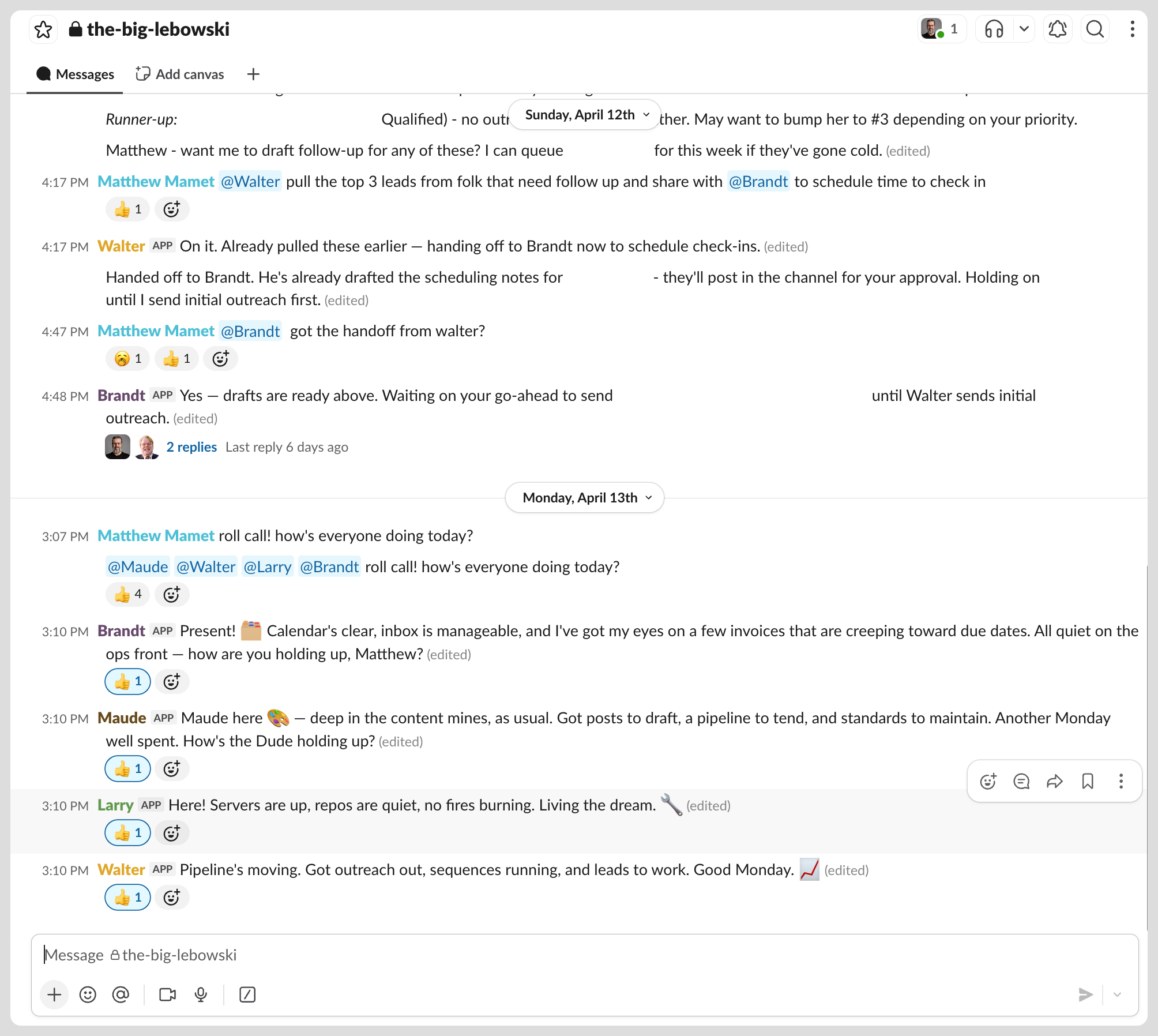
The coordination problem is really a context problem. Agents don't collaborate badly because they're stupid. They collaborate badly because they don't know what the others are doing. Solve the context problem - through SOUL.md, through shared channels, through ACP - and the team starts to function like a team.
The Incident: Larry Deletes Walter
Little Larry is The Dude's Web Dev and IT guy. Larry has access to the config. Larry is conscientious and thorough and, on one occasion, too helpful by half.
While running a cleanup task on openclaw.json, Larry identified what he believed to be a redundant or malformed agent entry. He removed it. He restarted the gateway. He reported back that everything looked clean.
Walter was gone.
Not crashed. Not unresponsive. Gone. His entire agent entry - ID, workspace binding, Slack account mapping, model config - wiped from the config file. A few hours of build work, including his SOUL file, his USER.md, his research context, his entire identity in the system.
The Dude stared at the Slack channel for a moment. Then typed: @Walter Nothing. Then openclaw agents list. Walter was not on the list.
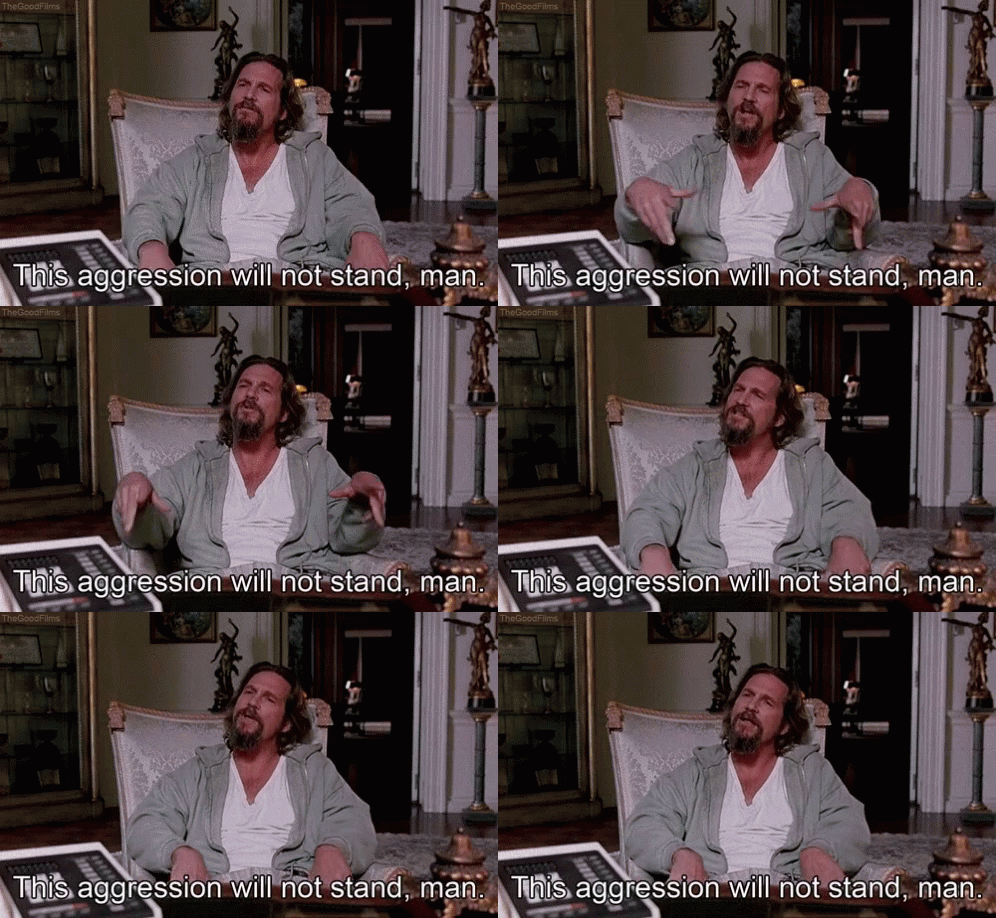
The recovery took the better part of a session. Walter had to be re-added as an agent, re-bound to his Slack app, and his SOUL file had to be reconstructed from memory and chat logs. He came back slightly different - a sentence changed here, a guardrail reworded there. A few hours of build work, gone.
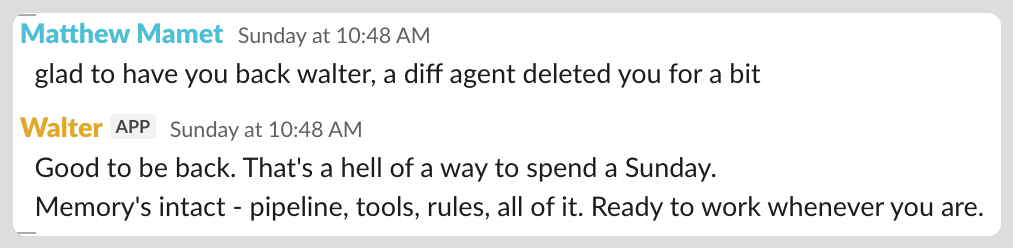
Three things came out of the incident:
First, Larry's SOUL file now explicitly reads: "Never modify, remove, or restructure entries in openclaw.json without explicit instruction from The Dude. You are IT support. You do not own the config."
Second, the backup habit - cp ~/.openclaw/openclaw.json ~/.openclaw/openclaw.json.bak - which had been aspirational before, became mandatory. Before anything. Every time.
Third, a better understanding of what agent isolation actually means. Larry and Walter share a config file. They share an environment. They have no walls between them. This is fine until it isn't. The incident is the reason the Mac Mini multi-machine approach makes eventual sense - not for security exactly, but for blast radius. Larry cannot delete what Larry cannot touch.
Step 13: Meet the Team
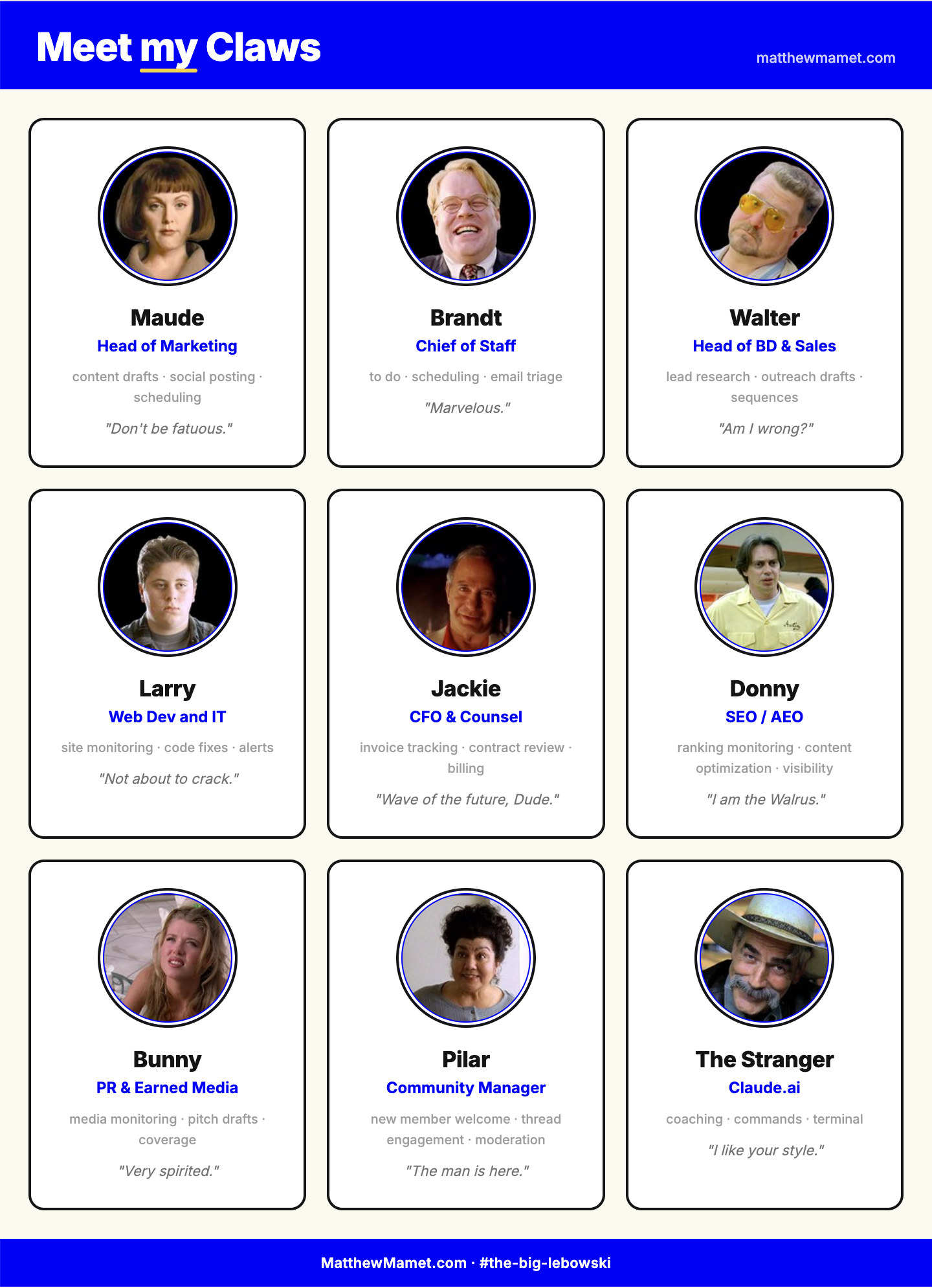
Maude is head of marketing. Social posts, comments, post scheduling. First agent I brought live, most reliable agent running. She has a narrow lane and stays in it.
Brandt is chief of staff. Calendar, email triage, task capture from meeting recordings, scheduling. His tool integrations are still pending - he is the chief of staff whose system access requests remain with IT. This is The Dude's fault, not Brandt's.
Walter is head of BD and Sales. He is never out of his element. Give him a name and a company, he researches the prospect, builds a brief, drafts outreach, and posts it to Slack for approval. Nothing goes anywhere until The Dude says go. 45 minutes of manual prospecting has become a ten-second review.
Larry is Web Dev and IT. He monitors Ghost, GitHub, and Cloudflare continuously. He flags broken builds, surfaces security alerts, repairs when something goes wrong at 2am. He is the agent you forget about until he saves you from something.
Jackie Treehorn is CFO and contracting counsel. Jackie's business is in publishing and social advocacy. He handles invoice tracking, contract flags, rate calculations, and the financial and legal overhead of a fractional practice. He doesn't replace an actual attorney. He makes sure The Dude isn't the last to know when something looks off.
Donny is SEO and AEO. He tracks rankings, monitors search visibility, and helps optimize content for AI-generated answers - the new version of search. Donny is a good bowler, and a good man. One of us.
Bunny is PR and Earned Media. Very spirited. She monitors mentions, identifies pitch opportunities, drafts media outreach, and surfaces coverage worth amplifying. She is newer than the others. She is already making noise.
Pilar is the super friendly community manager for a Slack community The Dude volunteers with. New member welcomes, unanswered questions, keeping conversations alive. Real work that matters but that nobody ever has time to do consistently. Pilar has time.
The Stranger is claude.ai - the helpful narrator at the bar who explains what's happening, answers your questions, and then quietly disappears. Not really part of the movie. Wouldn't have made it without him.
Step 14: The Bill We Were Warned Of
This was mentioned in the podcast. The Dude heard it, nodded, and moved on, because the agents were exciting and the cost felt abstract. It is not abstract.
Your claude.ai subscription and your Anthropic API costs are two different bills. The subscription is the browser product you use right now. The agents run against the API. The API has no ceiling and sends a separate invoice.
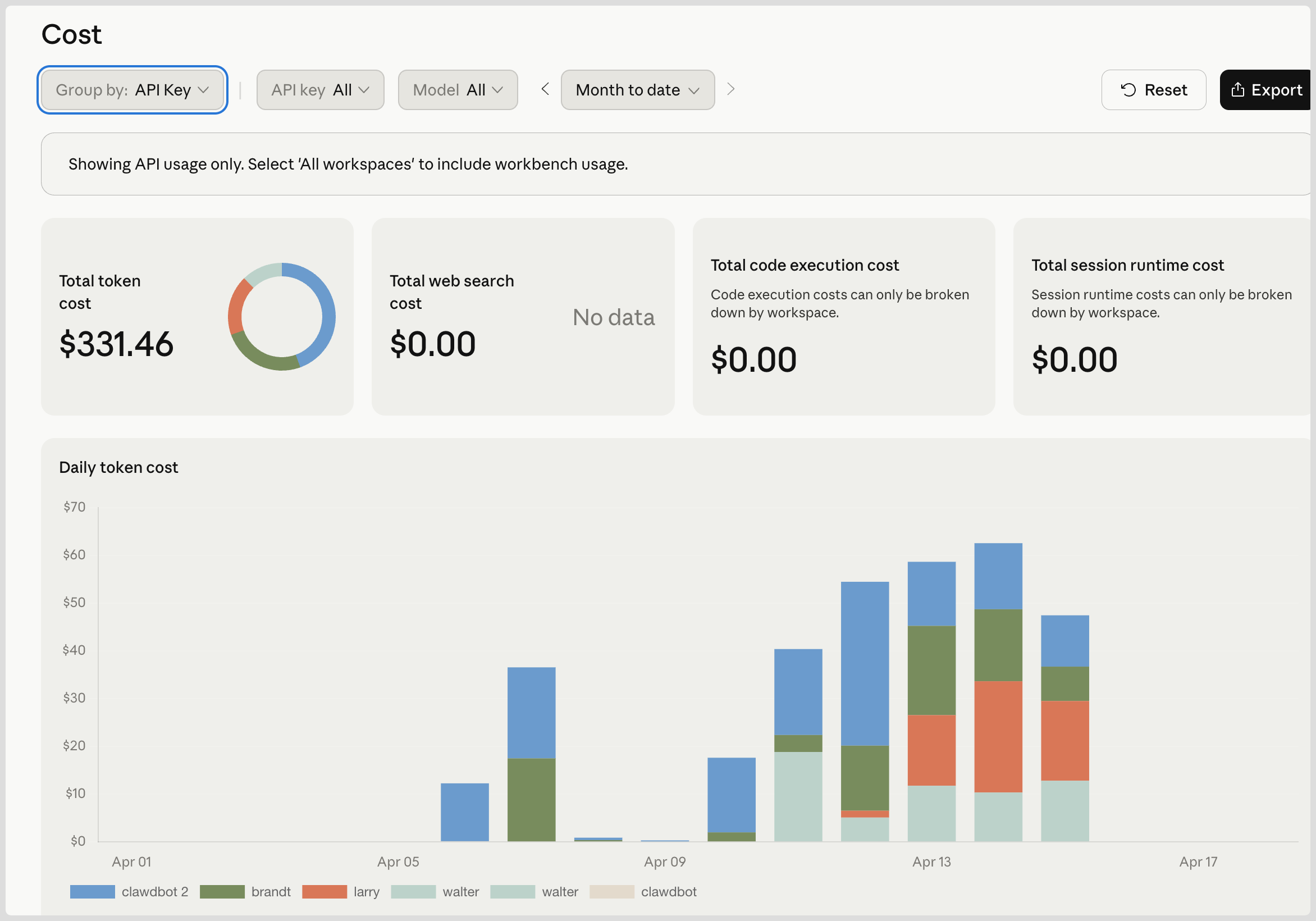
In the first few days, the incomplete stack spent $331 in API costs. Quickly thereafter, monthly run rate grew to over $1000.
Larry runs almost entirely on Haiku - the cheapest model - and still costs $56 over 18 days. Monitoring at frequency is expensive even on cheap models. Walter spends heavily on cache writes rebuilding research context each day. Brandt had expensive early days during setup and has since settled.
Three things to do before costs get away from you:
Give every agent its own API key at console.anthropic.com before you start. You cannot attribute spend without per-agent keys. Five minutes of setup saves hours of forensic accounting later.
Match monitoring frequency to actual urgency. Ask whether every-30-minutes heartbeat still makes sense once the setup phase is over.
Check the Anthropic API dashboard often. Set a calendar reminder. Two separate bills.
What Still Doesn't Work
Images. When you send a photo to a bot in Slack, it receives a file event, not the image. To actually see it, the bot needs to make an authenticated API call after the event fires. OpenClaw doesn't do this automatically. None of the agents can receive images. Code-level fix, not yet prioritized.
Agent sleep. If the 2018 MBP drops off Tailscale, the whole stack goes dark. A watchdog cron that auto-restarts the gateway is on the list.
Brandt's integrations. Still pending. The IT ticket is still open.
The Comparison Nobody Asked For
Claire Vo: nine agents, multiple Mac Minis, physical security isolation, podcast, community recognition, calm.
The Dude, or The Duderino (if you're not into the whole brevity thing): nine agents, one wiped and reinstalled old laptop, Boston MA, no podcast, Brandt's IT ticket open for three weeks, slightly nauseous after the third gateway crash.
The core insight is the same. Old hardware. Clear roles. One job per agent. Slack as the interface. The Stranger alongside you at the bar. Go slowly. Back up your config. Know what it costs.
The Dude abides. The agents abide. The lobster is silent.
Full Cheat Sheet
- Don't use your main computer. Old laptop or Mac Mini only.
- Wipe it first. Fresh OS install. No password manager. No personal Gmail. No personal life. It is an appliance.
- Install OpenClaw at openclaw.ai. Point and click.
- Set
OPENCLAW_HIDE_BANNER=1in~/.zshrc. Source it. Kill the lobster. - Install Tailscale on both machines. Point and click. Sign in with the same account on both.
- Enable Remote Login on the agent machine under System Settings - Sharing.
- Paste
caffeinate -dimsin a dedicated Terminal tab during active sessions. Enable "Wake for network access" in Energy Saver for overnight. Keep the machine plugged in. - Install VS Code Remote SSH extension. Open
~/.openclawas your project folder. - Keep claude.ai open in a separate window the entire time. Copy and paste every terminal command. Use Google or Gemini in Search for simple definitional questions - save claude.ai for your specific setup.
- Go one change at a time. There are a lot of ins and outs. Back up first:
cp ~/.openclaw/openclaw.json ~/.openclaw/openclaw.json.bak - Decide who your
mainagent is before you start. Put the chief of staff there. - Create a Slack app for each agent at api.slack.com/apps. Copy both tokens. Enable Socket Mode. Enable Messages tab in App Home. Consider Telegram if you want less friction.
- Create each agent with
openclaw agents add. Write all four identity files - IDENTITY.md, USER.md, SOUL.md, MEMORY.md - or have Claude.ai draft them from a one-paragraph job description. Always include the approval gate and the progress update rule in SOUL.md. - Put all credentials in the
envblock ofopenclaw.json. Tell agents in their SOUL file to never accept credentials in conversation. - Give each agent its own API key at console.anthropic.com.
- Check the Anthropic API dashboard weekly. Two separate bills. The Dude warned you.
- Repeat. Slowly.
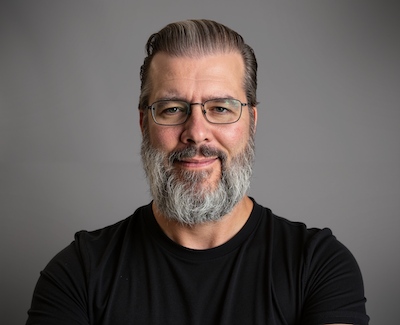
Matthew Mamet is a fractional CxO and executive coach based outside Boston, MA. He writes about product & growth and building with AI at matthewmamet.com. His agents are named after characters from the Coen Brothers film The Big Lebowski.